
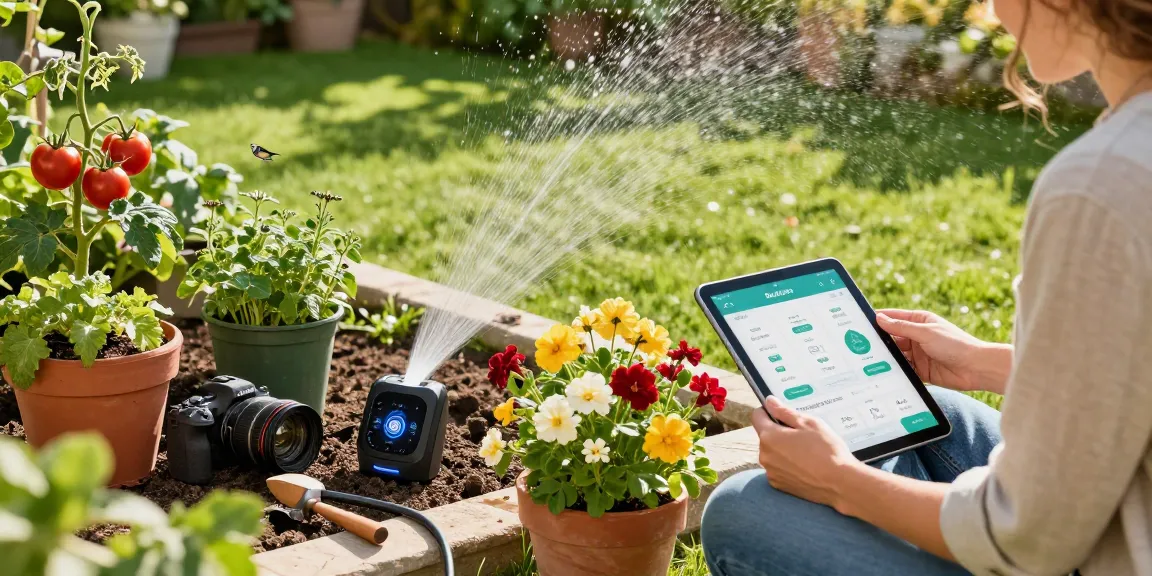
Understanding the RainPoint WiFi Water Timer
The rainpoint wifi water timer is transforming the way homeowners manage their irrigation systems. As water conservation becomes increasingly critical in today’s climate, this innovative device offers a smart solution for efficient gardening and landscaping. Whether you are a novice plant enthusiast or an experienced gardener, the RainPoint timer is designed to optimize water usage without compromising on plant health.
What is the RainPoint WiFi Water Timer?
The RainPoint WiFi Water Timer is a sophisticated irrigation controller that operates via WiFi, allowing gardeners to manage their watering schedules remotely. This device connects to a home’s WiFi network and integrates with a smartphone app, providing users with the ability to monitor and adjust their irrigation systems from virtually anywhere. Unlike traditional timers, the RainPoint model utilizes local weather data and soil moisture readings to automate and customize watering needs, making irrigation as effortless as possible.
Key Features and Benefits of the RainPoint WiFi Water Timer
One of the standout features of the RainPoint WiFi Water Timer is its dual-zone capability, enabling homeowners to set different watering schedules for various sections of their garden or lawn. This is particularly useful for properties with diverse plant types that may have varying moisture requirements. Additional features include:
- Weather-Based Scheduling: The timer adjusts irrigation schedules based on real-time weather conditions, ensuring that watering is only conducted when necessary.
- Soil Moisture Sensors: The integrated sensors provide accurate data on soil moisture levels, helping to prevent over and under-watering.
- Remote Access: Users can control the timer from their smartphones, allowing for convenient adjustments on the go.
- User-Friendly Interface: The accompanying app is designed with simplicity in mind, making it accessible even for those who are not tech-savvy.
Common Myths About WiFi Water Timers
Despite the benefits, there are several misconceptions surrounding WiFi water timers. One common myth is that these devices are overly complicated to install and operate. In reality, the RainPoint WiFi Water Timer is designed for easy setup, requiring only a few simple steps to connect to your home network and begin managing your irrigation system. Another misconception is that they are only suitable for professional gardeners; however, this technology is accessible for anyone looking to enhance their gardening experience.
Setting Up Your RainPoint WiFi Water Timer
Step-by-Step Installation Guide
Setting up your RainPoint WiFi Water Timer is straightforward. Follow these steps for an effective installation:
- Unbox the timer and read the instruction manual thoroughly to familiarize yourself with the components.
- Connect the timer to your garden hose or main water supply, ensuring the connections are tight and secure.
- Download the RainPoint app from the respective app store based on your device.
- Follow the app instructions to connect the timer to your home WiFi network.
- Set up the watering schedules according to your garden’s requirements.
Connecting to the App for Optimal Performance
To ensure the RainPoint WiFi Water Timer operates optimally, it is crucial to connect it to the app. The app allows users to monitor soil moisture levels, receive notifications for scheduled irrigations, and modify settings as necessary. Users can also create multiple profiles for different areas of their garden, allowing for customized watering plans per zone.
Troubleshooting Common Setup Issues
While the installation process is generally smooth, users may encounter some common issues such as connectivity problems. If your timer fails to connect to the WiFi network, ensure that you are using a 2.4GHz connection, as many smart devices do not support 5GHz. Additionally, restart the timer and your router to refresh the connection. If problems persist, consulting the RainPoint customer support team can provide valuable assistance.
Maximizing Efficiency with Your RainPoint WiFi Water Timer
Customizing Watering Schedules for Different Plants
One of the most powerful features of the RainPoint WiFi Water Timer is its ability to customize watering schedules for different plant types. By using soil moisture sensors, you can determine the optimal watering needs for a variety of plants, ensuring that each receives the appropriate amount of water. This tailored approach not only promotes plant health but also conserves water, making it a perfect tool for environmentally-conscious gardeners.
Using Soil Sensors to Optimize Water Use
Implementing soil sensors enhances the efficiency of the RainPoint timer. These sensors provide real-time data, indicating when the soil is adequately hydrated. By leveraging this information, gardeners can significantly reduce excess water usage, thereby saving money and contributing to environmental sustainability. The sensors can easily be placed in various spots throughout your garden, providing a comprehensive understanding of soil conditions.
Saving Water: Best Practices for Sustainable Gardening
In addition to utilizing the RainPoint WiFi Water Timer, following best practices for sustainable gardening is essential. Consider implementing the following strategies:
- Mulching: Apply a layer of mulch around plants to retain moisture and reduce evaporation.
- Group Planting: Arrange plants with similar water needs together to optimize irrigation schedules.
- Seasonal Adjustments: Adjust watering schedules seasonally based on rainfall and plant growth stages to maximize efficiency.
Advanced Features of the RainPoint WiFi Water Timer
Integrating with Smart Home Systems
The RainPoint WiFi Water Timer stands at the forefront of smart home integration. It can easily connect with other smart home devices such as Amazon Alexa or Google Assistant, enabling voice control for added convenience. This integration allows for seamless management of your entire home irrigation system, ensuring you never miss a watering session.
Real-time Weather Notifications and Adjustments
With an advanced WiFi connection, the RainPoint timer can provide real-time weather updates and adjust watering schedules according to current or forecasted rain. This feature is particularly beneficial for travelers or those with busy lifestyles, as it alleviates the worry of whether your plants are receiving adequate water during unexpected weather changes.
Performance Metrics and Tracking Water Usage
Monitoring water usage is now easier with the RainPoint WiFi Water Timer’s built-in performance metrics. The app allows you to track water consumption, helping you make informed decisions about your watering habits. Over time, users can identify patterns in their irrigation needs and further optimize their schedules for efficiency.
Future Trends for Smart Watering Technology in 2026
Predicted Innovations in Smart Gardening
As we move toward 2026, the field of smart gardening is set to witness numerous innovations. Future advancements may include enhanced sensors, more sophisticated weather prediction algorithms, and machine learning capabilities that analyze plant growth over time. These innovations will further empower gardeners to manage their irrigation needs efficiently.
Impact of Climate Change on Watering Needs
Climate change poses new challenges for gardeners, including fluctuating weather patterns and increased temperatures. As a result, smart watering systems like the RainPoint timer will become even more crucial. They will need to adapt to changing environmental conditions, providing real-time responses to ensure that gardens remain healthy and sustainable.
How to Stay Updated on Latest Smart Gardening Trends
To keep up with the latest trends in smart gardening, consider subscribing to newsletters, joining gardening forums, or participating in social media groups dedicated to sustainable gardening. These platforms are excellent resources for sharing experiences, tips, and discovering the latest technologies available to enhance your gardening experience.
What are the most common challenges with RainPoint WiFi water timers?
While the RainPoint WiFi Water Timer is a powerful tool, users may face challenges such as WiFi connectivity issues, difficulties in setting watering schedules, or discrepancies in soil sensor readings. Being proactive in reading the user manual and engaging with customer support can significantly mitigate these issues.
How do I properly maintain my RainPoint WiFi water timer?
To ensure longevity and optimal performance, regular maintenance of your RainPoint WiFi Water Timer is recommended. This includes checking all connections for leaks, cleaning the timer regularly to prevent buildup of dirt, and updating the app and firmware as updates become available.
Can I use RainPoint WiFi water timers for indoor plants?
Absolutely! The versatility of the RainPoint WiFi Water Timer allows it to be used for both indoor and outdoor plants. Adjustments can be made to accommodate various plant types, ensuring that indoor greenery receives the proper hydration without requiring constant monitoring.
What should I do if my RainPoint water timer disconnects?
If your RainPoint water timer disconnects from your WiFi network, first check your router to ensure it is functioning correctly. Restarting both the timer and the router often resolves connectivity issues. If the problem persists, refer to the troubleshooting section of the user manual or contact customer support for further assistance.
Are there any accessories for the RainPoint WiFi water timer?
Yes, several accessories can enhance the functionality of your RainPoint WiFi Water Timer. Soil moisture sensors, additional hoses, and extension cords can be purchased to customize your setup, making it easier to manage watering in different garden zones.